ノート
スライド ショー
アウトライン
1
リフレクションを使用したことがありますか?
 〜私はリフレクションをこのように使用しました。〜
  • by Pandora
2
リフレクションを知っていますか?
3
リフレクションとは
  • MSDN
    • アセンブリ、モジュール、および型をカプセル化する、Type型の
    •   オブジェクトを提供します。
    • リフレクションを使用すると、動的に型のインスタンスを作成したり、
    •     作成したインスタンスを既存のオブジェクトにバインドしたり、さらに
    •     既存のオブジェクトから型を取得してそのオブジェクトのメソッドを呼び出したり、フィールドやプロパティにアクセスしたりできます。
  • ウィキペディア
    • コンピュータプログラムの実行過程でプログラム自身の構造を読み取ったり書き換えたりする技術のことである。
4
リフレクションとは
  • 実行時にオブジェクト同士のコミニュケー
  • ションがとれるしくみのことである。
5
リフレクションを使ったことありますか?
6
リフレクションを使用した場面
7
データベースアプリケーションで使用
  • GUI(画面)からデータを取得する場面
  • データをGUI(画面)に表示する場面
    • データベースアプリケーション(Windows/Web共に)であれば、GUI(画面)とデータ格納オブジェクトとのやりとりがほとんどの場面で発生する。
8
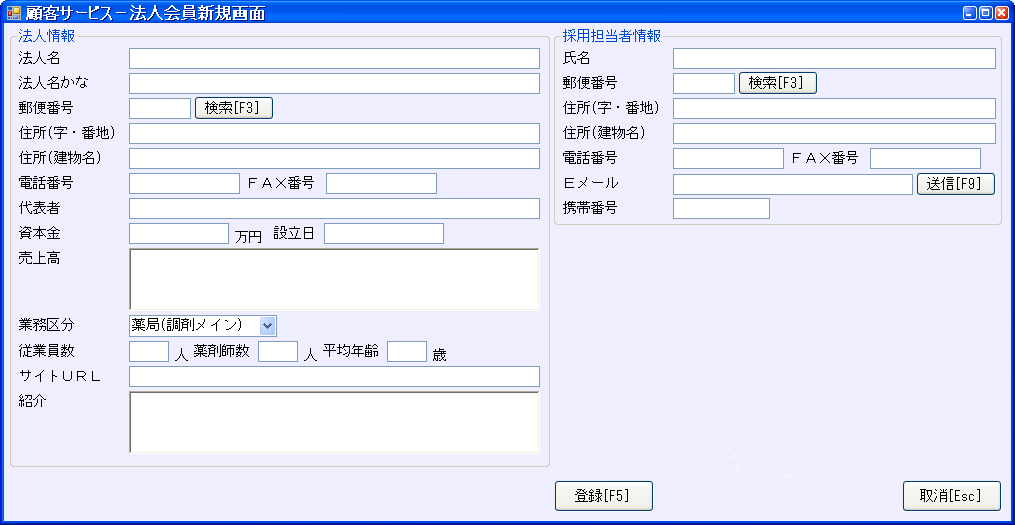
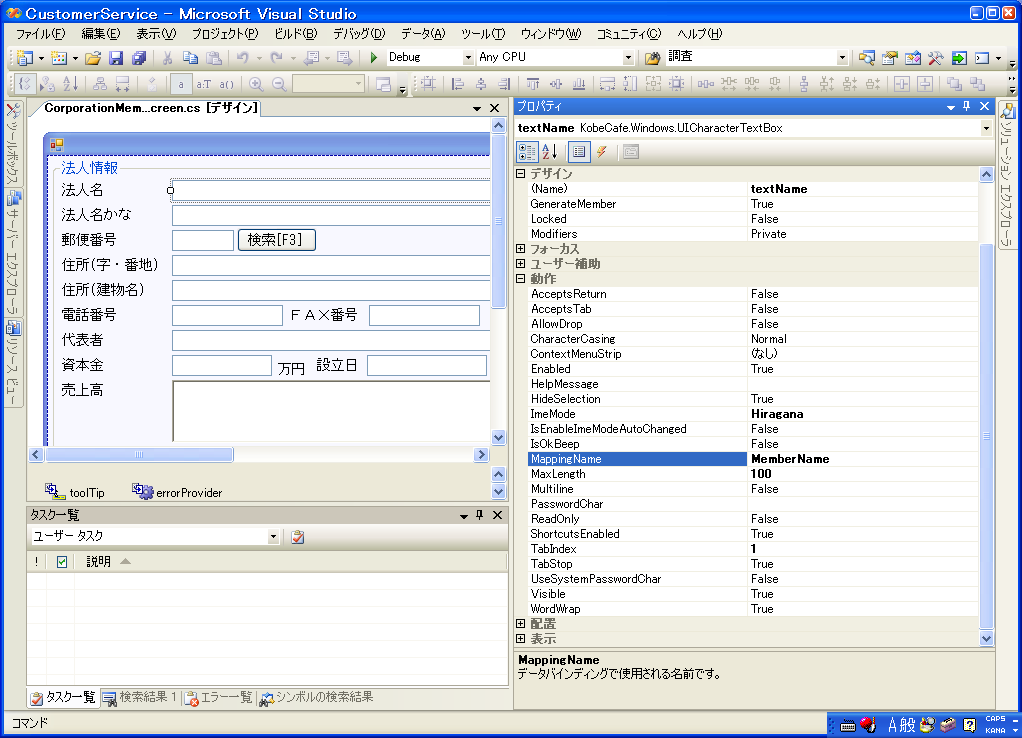
サンプルGUI
  • 法人名:textName、法人名かな:textKana、
  • 郵便番号:textZipCode、住所(字・番地):textAddress1、住所(建物名:)textAddress2、
  • 電話番号:textTel、FAX番号:textFax
9
コードの対比(画面に値を表示)
  • バイディング機能あり
  • this.panelBinding.BindingData =
  •       this.member;
  • this.panelBinding.ViewData();
  • 通常
  • this.textName.Text =
  •       this.member.MemberName;
  • this.textKana.Text =
  •       this.member.MemberKanaName;
  • this.textZipCode.Text =
  •       this.member.MemberZipCode;
  • this.textAddress1.Text =
  •       this.member.MemberAddress1;
  • this.textAddress2.Text =
  •       this.member.MemberAddress2;
  • this.textTel.Text =
  •       this.member.MemberTelCode;
  • this.textFax.Text =
  •       this.member.MemberFaxCode;
10
コードの対比(画面から入力値を取得)
  • バイディング機能あり
  • this.panelBinding.BindingData =
  •       this.member;
  • this.panelBinding.StoreData();
  • 通常
  • this.member.MemberName =
  •       this.textName.Text;
  • this.member.MemberKanaName =
  •       this.textKana.Text;
  • this.member.MemberZipCode =
  •       this.textZipCode.Text;
  • this.member.MemberAddress1 =
  •       this.textAddress1.Text;
  • this.member.MemberAddress2 =
  •       this.textAddress2.Text;
  • this.member.MemberTelCode =
  •       this.textTel.Text;
  • this.member.MemberFaxCode =
  •       this.textFax.Text;
11
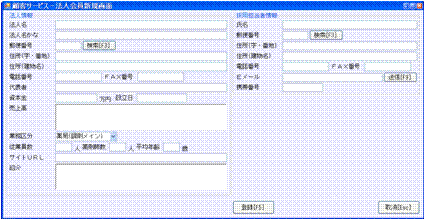
コントロールとクラスオブジェクトとのマッピング
12
メリット・デメリット
  • メリット
    • 多数のコードを書かなくても済む。
    • データの表示/取得の確認がテストコードで確認できる。
      • member.MemberName = “テスト会員”;
      • Assert. AreEqual(“テスト会員”,member.MemberName);
  • デメリット
    • バイディングコンテナを作成しなくてはならない。
    • バイディングコントロールを作成しなくてはならない。
      • 但し、上記2つとも必要な時に一度の開発で済む。
13
具体的にコードを使用しての説明
14
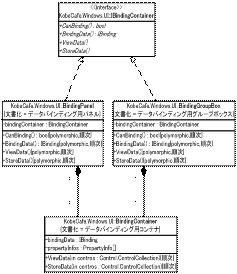
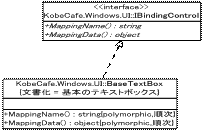
GUI側のクラス図(抜粋)
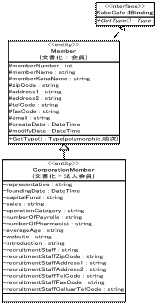
15
データ側のクラス図(抜粋)
16
コントロール側でのインターフェース
  • データバインディングコンテナ
  • public interface IBindingContainer
  • {
  • bool CanBinding{get;}
  • IBinding BindingData{set;get;}
  • void ViewData();
  • void StoreData();
  • }
  • データバインディングコントロール
  • public interface IBindingControl
  • {
  • string MappingName{set;get;}
  • object MappingData{set;get;}
  • }
17
データ側でのインターフェース
  • データバインディング対象クラス
  • public interface IBinding
  • {
  • Type GetType();
  • }
18
TextBoxコントロール
  • public string MappingName
  • {
  • set{this.mappingName=value;}
  • get{return this.mappingName;}
  • }
  • public object MappingData
  • {
  • set
  • {
  • this.Text = "";
  • if(value==null){return;}
  • this.Text = Convert.ToString(value);
  • }
  • get{return this.Text;}
  • }
19
BindingContainerクラス@
  • public IBinding BindingData
  • {
  • set
  • {
  • this.bindingData = value;
  • if(this.bindingData==null){return;}
  • this.propertyInfos =
  •                  this.bindingData.GetType().GetProperties();
  • }
  • get{return this. bindingData;}
  • }
  • public bool CanBinding
  • {
  • get{return this.bindingData!= null;}
  • }
20
BindingContainerクラスA
  • public void ViewData(Control.ControlCollection contros)
  • {
  • if(CanBinding==false){return;}


  • foreach(Control control in contros)
  • {
  • if(IsBindingContainer(control)==true){
  •     BindingContainerViewData
  •                                ((IBindingContainer)control);continue;}


  • if(IsBindingControl(control)==true){
  •     BindingControlViewData
  •                     ((IBindingControl)control);continue;}
  • }
  • }
21
BindingContainerクラスB
  • private void BindingContainerViewData
  •                                                (IBindingContainer container)
  • {
  • if(container.CanBinding==false)
  • {
  • container.BindingData = this.BindingData;
  • }
  • container.ViewData();
  • }
  • private void BindingControlViewData
  •                                                (IBindingControl control)
  • {
  • control.MappingData = GetMappingData(control);
  • }


22
BindingContainerクラスC
  • private object GetMappingData
  • (IBindingControl bindingControl)
  • {
  • PropertyInfo propertyInfo =  GetTargetPropertyInfo(bindingControl.MappingName);
  • if(propertyInfo==null){return null;}
  • return propertyInfo.GetValue(this.bindingData,null);
  • }
23
BindingContainerクラスD
  • private PropertyInfo GetTargetPropertyInfo
  • (string mappingName)
  • {
  • foreach(PropertyInfo propertyInfo in this.propertyInfos)
  • {
  • if(propertyInfo.Name==mappingName)
  • {
  •       return propertyInfo;
  • }
  • }
  • return null;
  • }
24
BindingContainerクラスE
  • public void StoreData(Control.ControlCollection contros)
  • {
  • if(CanBinding==false){return;}


  • foreach(Control control in contros)
  • {
  • if(IsBindingContainer(control)==true){
  •     BindingContainerStoreData
  •                                ((IBindingContainer)control);continue;}


  • if(IsBindingControl(control)==true){
  •     BindingControlStoreData
  •                     ((IBindingControl)control);continue;}
  • }
  • }
25
BindingContainerクラスF
  • private void BindingContainerStoreData
  •                                                (IBindingContainer container)
  • {
  • if(container.CanBinding==false)
  • {
  • container.BindingData = this.BindingData;
  • }
  • container. StoreData();
  • }
  • private void BindingControl StoreData
  •                                                (IBindingControl control)
  • {
  • SetMappingData(control);
  • }


26
BindingContainerクラスG
  • private void SetMappingData
  • (IBindingControl bindingControl)
  • {
  • PropertyInfo propertyInfo =  GetTargetPropertyInfo(bindingControl.MappingName);
  • if(propertyInfo==null){return null;}
  • propertyInfo.SetValue(this.bindingData,
  •                                         bindingControl.MappingData,null);
  • }
27
なにか質問はありますか?
28
 
29
Typeクラスのメソッド(抜粋)
30
PropertyInfoクラスのメソッド(抜粋)
  • object GetValue(object obj,object[] index)
    • 該当のプロパティの値を返却する。
      • obj    :該当のプロパティ値を保持しているオブジェクト。
      • index:インデックス付きプロパティのインデックス値。
      •               それ以外は、null 値。
  • void SetValue(object obj, object value,object[] index)
    • 該当のプロパティに値を設定する。
      • obj    :該当のプロパティ値を保持しているオブジェクト。
      • value:設定する値。
      • index:インデックス付きプロパティのインデックス値。
      •               それ以外は、null 値。